Appearance
Generations
INFO
For information about testing new styles, check out this page.
Class names
Class names are general subjects of the generation. For example, male or female. You can add as many classes as you want to categorize styles. The motivation behind linking our unique identifier with a class noun is to leverage the model’s strong visual prior of the subject’s class. In other words, it will be much easier for the model to learn what we look like if we tell it that we are a person and not a refrigerator
Styles
Styles consist of prompts, negative prompts, a name, and a preview image. They are created specifically for each class. For example, the male class may have styles such as Fireman, Police uniform, Golfman, or Astronaut.
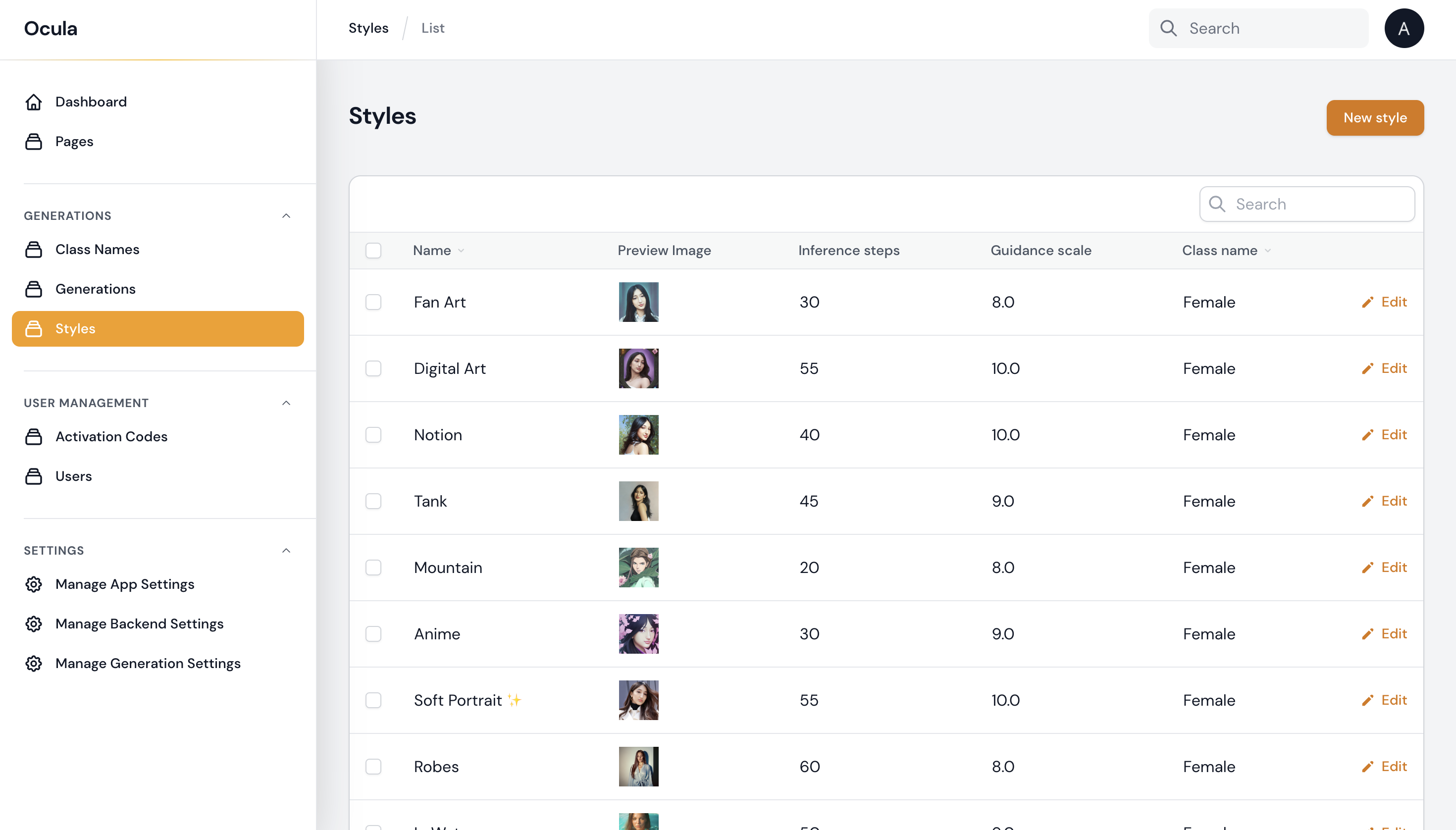
Creating a new style
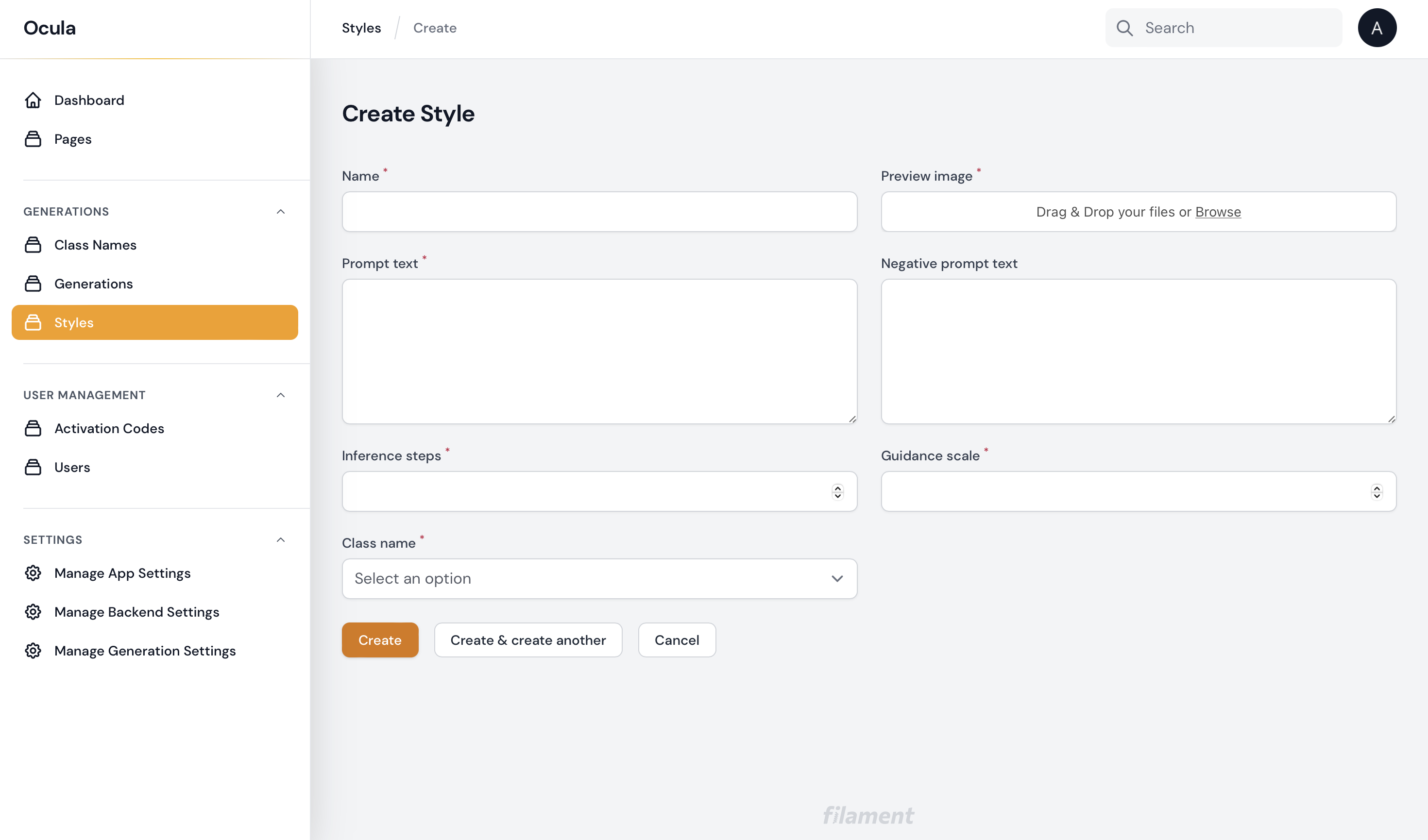
Name- name of the style, can be understan by usersPreview image- upload sample result image generated on this stylePrompt text- the text that guides the image's generation. It should include a token name that references the subject, which in OCULA AI is[token].
Example
close up ((([token]))), Yamanaka Ino from Naruto, fanart, amazing detail, color grading, (glowing haze)++ (soft glow)+ digital art render, anime, intricate, 8k, highly detailed, volumetric lighting, digital painting, intense, sharp focus art by artgerm and rutkowski and alphonse mucha, cgsociety, wlop
Negative prompt text- specifies what should not be included in the image
Example
NSFW, poor bad amateur assignment cut out ugly, low resolution
Inference steps- recommended range is from 20 to 60), however some styles require more steps, if not specified, select from recommended range. number of how many steps of the Stable Diffusion process you want. The more steps, the better the quality of the generated images will be. If you want high quality, you can choose the maximum number of steps available. If you need to want the results faster, then consider decreasing the number of steps.Guidance scale- trade-off between how closely the generated image follows your input prompt versus how diverse the inputs are. A typical value for it is around 7.5. The more you increase the scale, the higher quality of the images will be, but you will get less diverse output.Class name- select an option from the list of your avialable classes